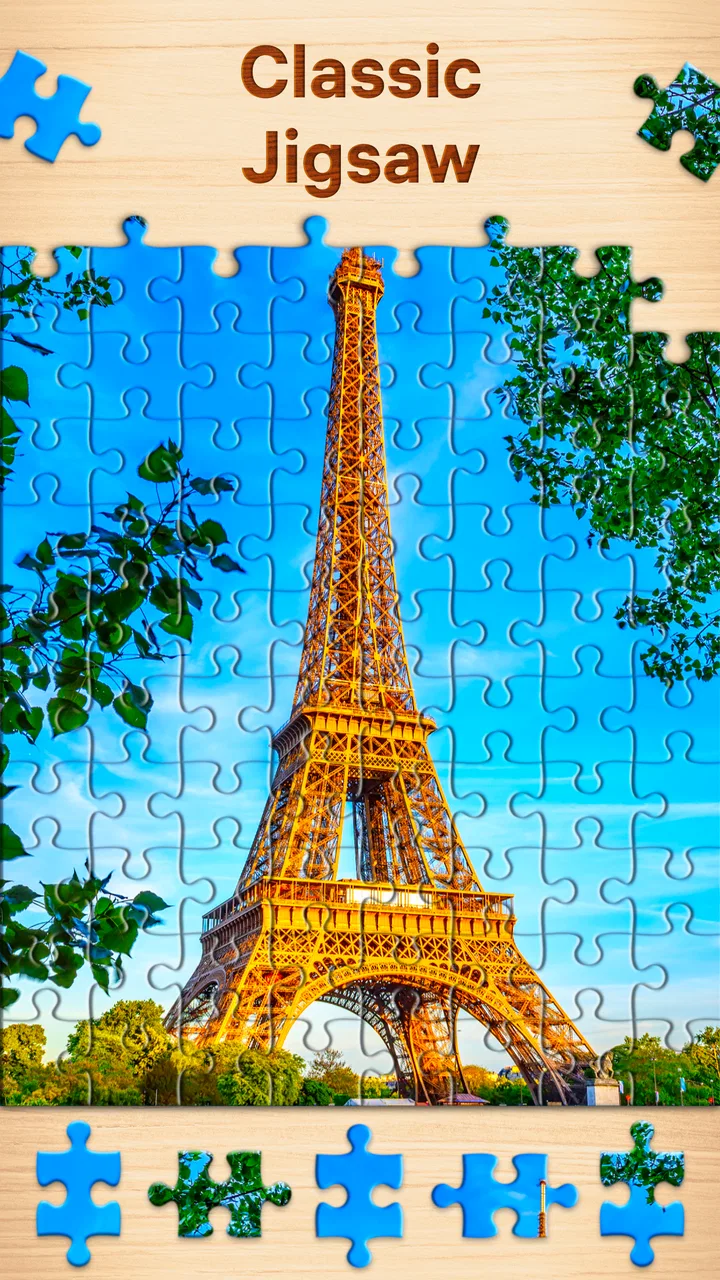
Jigsaw Puzzles - Puzzle Games
- 4.8
- Rating
- 100.00M
- Installs
- Free
- Price

 Analysis by App-foxy
I enjoy puzzle apps most when they make it easy to settle into a quiet few minutes without turning the experience into a contest. Jigsaw Puzzles - Puzzle Games, made by Easybrain, is built around that simple appeal. It is a free puzzle game for adults, and after spending time with it, I see why it has become such a familiar choice for people who want a relaxing activity rather than a demanding game with complicated rules.
My overall view is positive, but with an important qualification: this is best understood as a calm digital jigsaw collection, not as a deep puzzle adventure. The pleasure comes from sorting pieces, recognizing patterns, and watching an image take shape. If that sounds satisfying to you, the app is easy to recommend. If you want dramatic progression, competitive play, or constant novelty in the way you solve puzzles, its straightforward design may feel limited.
A calm puzzle experience that respects short sessions
The first thing I noticed is how quickly the game gets out of the way. There is no complicated system to learn before starting a puzzle. You choose an image, begin arranging pieces, and let the familiar rhythm take over. That makes it particularly suitable for a short break, a quiet evening, or any moment when I want something more engaging than scrolling but less demanding than a traditional game.
You May Also Like

 Pandora - Music & Podcasts
Pandora’s Music Is Easy to Start, but Harder to Recover
Pandora’s strength is its low-effort path from a seed to a station. Its weak spot is how much confidence it asks you to place in connection, setup, and quiet recovery.

 8 Ball Pool
 Is Built on Rivalries, Rematches, and Routine
A close look at the rivalries, rematches, shared routines, and unanswered safety questions that turn a quick pool match into a persistent mobile community.

 Samsung Music
’s Quiet Strength Is Playing What You Already Own
Its reach comes less from spectacle than from dependable access to a personal library. That simplicity is both the app’s strongest retention engine and its ceiling.

 AccuWeather: Weather Radar
AccuWeather Review: A Quick, Clear Forecast for Everyday Decisions
For everyday plans, the best forecast is the one you can understand quickly. AccuWeather makes rain timing, radar, and local conditions easy to act on, with a few trade-offs.

 Hill Climb Racing
Why Hill Climb Racing Still Turns Crashes Into One More Run
A tiny car, a bumpy hill and one more upgrade: Hill Climb Racing keeps resurfacing because its simple chaos makes every near-miss feel personal.

 AliExpress - Shopping App
AliExpress Makes Global Shopping Feel Personal, but Shoppers Bear the Risk
AliExpress turns a global marketplace into a pocket-sized discovery engine. Its reach is useful, its shopping loop compelling, and its trade-offs easy to miss.
More From Our News Desk
View All News


The category matters here. This is a jigsaw puzzle game, not a general collection of unrelated brain teasers. The central activity stays focused on assembling pictures. That consistency is a strength because the app knows what kind of relaxation it wants to provide. I do not have to switch between different rule sets or learn a new mechanic every few minutes.
The store description emphasizes that the puzzles can be enjoyed offline, and that is one of the most useful aspects in everyday use. I can start a puzzle while traveling, during a waiting period, or somewhere with unreliable connectivity without treating the app as something that requires a constant connection. For a mobile game, that makes the experience feel more dependable and less tied to a particular location.
It also carries an Everyone content rating, which fits the gentle nature of the activity. Although the presentation is aimed at adults, there is nothing about the basic concept that makes it feel aggressive or unsuitable for a shared household device. I would still choose puzzles based on the person using the phone, but the overall tone is notably mild.
Why the simple format works so well
A physical jigsaw puzzle usually asks for a table, storage space, good lighting, and enough uninterrupted time to leave everything in place. This app removes those practical obstacles. I can work on a picture while sitting on a sofa, pause when something comes up, and return later without clearing an entire surface. That convenience is the clearest reason to choose a digital version.
The best sessions are not necessarily long ones. I often find that completing a small portion of a picture is enough to make a break feel worthwhile. The app suits that habit because the basic action is immediately understandable. There is no pressure to memorize a story or maintain a complicated strategy between sessions.
Another useful quality is the visual nature of the task. Instead of relying on written instructions or fast reactions, I can use color, shape, edges, and image details at my own pace. That makes it a comfortable option when I want something mentally active but not exhausting. It is also a good fit for people who enjoy traditional jigsaws but do not want to buy, organize, or store physical boxes.
Still, the simplicity has a trade-off. The game does not transform the jigsaw format into something radically new. Its appeal depends on whether you already like the process of fitting pieces together. I would not install it expecting a narrative campaign or a series of surprising mechanics. Its strongest feature is that it stays faithful to the familiar activity.
Small habits that make the puzzles easier
My most effective approach is to avoid trying to place every piece immediately. I begin by looking for obvious edge pieces and visually distinctive sections, such as a bright object or a strong line in the picture. Once a few areas are established, the remaining pieces become easier to judge. This is more relaxing than tapping randomly and hoping something fits.
For busy images, I find it helpful to work in zones rather than scanning the entire puzzle repeatedly. A patch of sky, a patterned surface, and a detailed object each present different visual clues. Keeping attention on one area reduces the sense of clutter and makes progress easier to notice. This is a simple technique, but it changes the experience from aimless searching into a manageable sequence of small decisions.
I also recommend choosing the puzzle size according to your available attention, not just your free time. A larger challenge may be satisfying on a quiet evening, but it can become frustrating if I begin it while distracted. For a commute or a short waiting period, a smaller image is usually the better choice because I can make visible progress without feeling that I have left an unfinished task hanging over me.
One less obvious benefit of the digital format is that I can use it as a transition between activities. A few minutes of arranging pieces can help me step away from work or social media without demanding the commitment of a full game. That makes it useful as a decompression tool, although I would not describe it as a substitute for sleep, exercise, or genuine rest.
Where it stands beside physical puzzles and other mobile games
Compared with a physical jigsaw, the obvious advantage is convenience. There are no loose pieces to lose, no box taking up space, and no need to protect an unfinished image from being disturbed. The screen is always available, and the offline capability makes the app practical in places where a physical setup would be awkward.
The physical alternative still wins in tactile satisfaction. Clicking a real piece into place feels different from touching a screen, and a table-sized finished picture has a presence that a phone cannot reproduce. If the social ritual of assembling a puzzle with family or friends is important to you, a physical set may remain the better choice. This app is more personal and portable than communal.
Compared with fast mobile games, it is much less stressful. There are no reflex demands in the basic activity, and the experience does not depend on reacting quickly. That makes it a strong option for someone who wants to play without feeling hurried. The downside is that people who enjoy constant rewards, competition, or dramatic changes in pace may find it too quiet.
Compared with other digital jigsaw apps, its main case is familiarity and accessibility rather than a radically different concept. Easybrain has kept the focus clear: select an image, arrange the pieces, and enjoy the gradual reveal. That narrow focus is valuable when I want a predictable relaxing session, but it also means the app may not satisfy someone searching for a more elaborate puzzle platform.
The meaningful limitations I noticed
The biggest limitation is repetition in the core activity. Once I understand how the game works, the challenge comes almost entirely from the selected picture and the number or arrangement of pieces. That is enough for relaxation, but it does not provide the same sense of discovery as a game with new mechanics, characters, or strategic layers.
There is also a difference between “relaxing” and “effortless.” A difficult image can still require concentration, especially when many areas share similar colors or textures. That is not a flaw in the jigsaw concept, but it means the app will not always feel soothing. If I choose a picture with large areas of nearly identical detail while already tired, the search can become tedious rather than calming.
The free entry point is welcome, but in-app purchases range from $0.99 to $14.99 per item. That is worth considering before settling into the app as a regular hobby. I would approach the available purchases carefully and decide whether the free experience already gives me enough value. The game works best when I treat optional spending as a deliberate choice rather than something connected to every session.
The current version is 4.8.0, and it requires Android 8.0 or later. That makes checking the operating system important before trying to install it on an older phone or tablet. On a compatible device, the app is a natural fit for a larger screen, where image details and piece placement are easier to see, but the basic appeal remains portable on a phone.
Another point is that a phone screen cannot completely reproduce the atmosphere of a real puzzle table. Finger placement, screen size, and the need to keep the device available can interrupt the sense of immersion. I usually enjoy it most when notifications are quiet and I have chosen a comfortable place to sit. The app can create calm, but the surrounding phone environment can just as easily break it.
Who will get the most from it
I would recommend this game to adults who already enjoy jigsaws, people looking for a low-pressure mobile pastime, and anyone who wants an offline activity for travel or waiting rooms. It is also a sensible option for players who dislike timers, combat, complicated tutorials, or competitive leaderboards. The learning curve is gentle because the familiar puzzle format does most of the explaining.
It can work well for a household member who wants a quiet solo activity. For example, after dinner I might have only fifteen minutes before doing something else. Instead of opening a demanding game that encourages me to continue, I can complete a small section of a picture and stop naturally. That makes the app useful for controlled breaks, especially when I want to keep my attention on one thing.
I would be more cautious about recommending it to someone who needs strong long-term progression. If your ideal game includes character development, unlockable abilities, competitive goals, or a story that changes from one stage to the next, this probably will not become a favorite. The same applies if you want a shared multiplayer experience. Its satisfaction is primarily private and visual.
It is also not the right choice for every kind of concentration. Someone looking for logic puzzles with a single correct deduction, word challenges, or mathematical problems may prefer a different puzzle category. Here, the difficulty comes from recognizing and matching visual fragments. That is a particular kind of mental work, and enjoying it depends heavily on personal taste.
What the popularity tells me, and what it does not
The game has an average rating of 4.8 from around 2.3 million ratings, with roughly 106 thousand written reviews. It has also passed 100 million installs. Those figures suggest that the basic idea connects with a very large audience, and they match my impression that the app is easy to understand and broadly approachable.
Popularity should not be confused with universal suitability, though. A widely used relaxing game can still feel too repetitive for a player who wants novelty, and a highly rated jigsaw app cannot recreate the physical experience of a box of pieces. I see the large audience as evidence that the format is dependable, not as a reason to ignore the personal trade-offs.
The developer, Easybrain, has positioned this as a polished, focused puzzle experience rather than an experimental one. That is a sensible choice for the audience it serves. I would rather have a jigsaw app that handles its central activity clearly than one that adds unnecessary systems simply to appear more complex.
My recommendation after using it
Jigsaw Puzzles - Puzzle Games succeeds because it understands the value of a quiet, familiar activity. It gives me a portable way to assemble pictures without needing a table, a box, or a long uninterrupted evening. The offline option strengthens that convenience, and the Everyone rating makes its gentle presentation easy to recommend for a broad audience.
Its weaknesses are equally clear. The core experience can become repetitive, some images may be more frustrating than relaxing, and optional purchases deserve attention before becoming a regular part of the habit. Players who want stories, competition, or substantial mechanical variety should look elsewhere rather than expecting this game to become something it was not designed to be.
For me, the final verdict is straightforward: choose this game for calm, visual concentration in short or flexible sessions. It is especially appealing if you miss physical jigsaws but need something portable and tidy. I would install it for a quiet break, a trip without dependable internet, or an evening when I want to occupy my hands without raising my stress level. I would skip it only if the simple jigsaw format itself does not sound rewarding, because the app’s greatest strength is also its defining limitation.
As a free puzzle game from Easybrain, it offers an accessible starting point and a clear purpose. The store short description calls it “Jigsaw Puzzles,” but my experience is more specific: it is a convenient digital space for slowing down, focusing on small visual details, and enjoying progress one piece at a time.
FAQs for Jigsaw Puzzles - Puzzle Games
01What features does Jigsaw Puzzles - Puzzle Games offer?
Jigsaw Puzzles - Puzzle Games offers a wide variety of puzzles ranging from easy to challenging levels. It includes daily challenges, a collection of beautiful images, and the ability to create custom puzzles from your photos. The app also features adjustable difficulty settings, allowing users to choose the number of pieces.
02Is Jigsaw Puzzles - Puzzle Games free to use?
Jigsaw Puzzles - Puzzle Games is free to download and play, but it does offer in-app purchases. These purchases can enhance your experience by providing additional puzzle packs and removing ads. While you can enjoy many features for free, some content may require payment to access.
03Can I play Jigsaw Puzzles - Puzzle Games offline?
Yes, Jigsaw Puzzles - Puzzle Games can be played offline. This feature allows you to enjoy assembling puzzles without an internet connection. However, certain features, like downloading new puzzle packs or syncing progress across devices, require an internet connection.
04How does Jigsaw Puzzles - Puzzle Games handle ads?
The app is supported by ads, which can appear between puzzles or as banners during gameplay. While ads are part of the free experience, you have the option to remove them through an in-app purchase. This purchase not only removes ads but also enhances the overall user experience.
05Are there any social features in Jigsaw Puzzles - Puzzle Games?
Yes, the app includes social features that allow you to connect with friends. You can share completed puzzles, challenge friends to beat your time, and even post achievements on social media. These features enhance the interactive aspect of the game, making it more engaging.
Pros
- Wide variety of puzzle themes available.
- Daily challenges keep the game fresh.
- High-quality graphics enhance experience.
- User-friendly interface for easy navigation.
- Offline mode available for on-the-go play.
Cons
- Ads can be intrusive during gameplay.
- Limited free puzzles without in-app purchases.
- Occasional lag on older devices.
- No multiplayer or social features.
- In-app purchases can be pricey.

Jigsaw Puzzles - Puzzle Games
Gallery